SDK 3.12 brings Odeeo to AdMob display banners. Publishers who monetize with AdMob can now add Odeeo as a demand source for their 320x50 banners through a new custom adapter, on Android, iOS and Unity.
It builds on the MAX mediation support we introduced in 3.7, and together the two cover the biggest mediation platforms in mobile advertising. The goal stays the same: make Odeeo easy to add wherever publishers already monetize, with no ad stack to rebuild.
What's new in SDK 3.12
- Odeeo AdMob custom adapter for display banners, on Android and iOS, with Unity supported
- Floor price set directly in AdMob and passed to Odeeo automatically
- Multiple Odeeo seats in one waterfall, each with its own placement and floor
- Opt-in drag and drop for the Audio Icon, so users can move it out of the way
A new demand source for the platform you already use
Mediation is how publishers line up several ad sources for the same ad slot, and AdMob is one of the most widely used mediation platforms in mobile apps. Many publishers can add Odeeo without changing their stack.
Easy to plug in
The adapter is self-serve. There is no approval process, no Google-side onboarding, and no changes to your app code. You set it up in the AdMob console and the Odeeo portal, and the banner slot you already run gets one more source competing for it.
Control stays with the publisher
You choose where Odeeo sits in the waterfall (manual eCPM), how many seats it gets, and the floor for each one. The floor can be managed in one place, inside AdMob. Consent is picked up automatically, and Odeeo appears in your normal AdMob reporting.
Non-intrusive by design
As with our display banners since 3.7, this is a standard banner in the placement your users already see, with no new interruptions to the experience.
How it works
AdMob lets networks plug into its mediation through a custom event, and the Odeeo adapter is that custom event. When AdMob decides it is Odeeo's turn in the banner waterfall, it calls the adapter. The Odeeo SDK then fetches and renders a display banner inside the AdMob banner slot, and reports impressions and clicks back to AdMob.
Getting started
- Add the Odeeo AdMob adapter with Odeeo SDK 3.12.0 (or update to 3.12.0 if you already use the Odeeo SDK).
- Create a Display Banner placement in the Odeeo portal for each AdMob waterfall entry, and set its Mediation Platform to "AdMob".
- Add Odeeo as a Custom Event in the AdMob console on your banner mediation.
- Set your floor, ideally in the AdMob parameter so there is one place to manage it.
If you monetize with AdMob, you can start today: add the adapter, then add Odeeo to your banner waterfall. To get an Odeeo app key and start earning from your banners, get in touch and we will set you up.
Also in SDK 3.12: users can move the Audio Icon Ad Unit
SDK 3.12 also brings a player friendly update to the Audio Icon, the icon that stays on screen while an audio ad plays. Users can now drag it away from whatever it covers, so publishers do not have to solve every UI clash with extra positioning code. It is opt-in and off by default, so current integrations behave exactly as before.
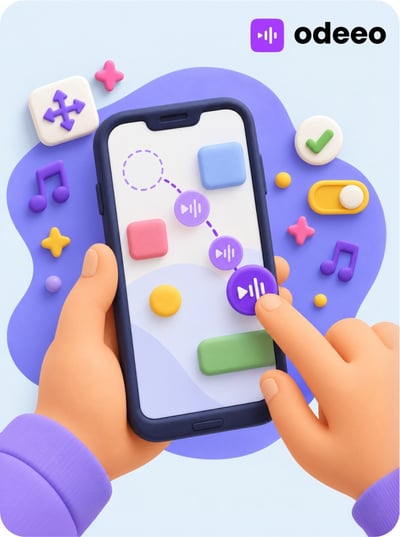 Odeeo Drag and Drop Audio Icon Ad Unit